IB Portal: What Your Introducing Brokers Should See Before They Email Your Partner Team
A commission total is not a portal. The partners worth keeping want to see attribution, calculations, payment status and what their clients actually do. Here is what to show and how to keep it consistent with what you pay.
It is the third business day of the month. One of your best introducing brokers has just looked at the IB portal: commission is lower than last month, two clients they referred are missing from their list, and a sub-IB they recruited says their own numbers don't match. They don't open a ticket. They send a long message to their partner manager, copy your head of partnerships and, in the same week, take a call from another broker that promises "full transparency".
For most brokers, that scenario is not about the commission rate. It is about visibility. The IB couldn't answer their own questions, so they assumed the worst.
Brokers already compete hard for introducers on price. In a 2026 Finance Magnates op-ed, a business development executive at a broker argued that the way out of ever-higher acquisition payouts is to compete on the quality of the relationship: transparent reporting, reliable payments and real support. That is an opinion from someone who competes for introducers too, but the logic is familiar to anyone who has lost a partner over a spreadsheet.
This guide is for heads of partnerships and IB managers at brokers. The short answer: an IB portal should let a partner answer, without asking, which clients are attributed to them and why, how each commission was calculated, when and how it will be paid, what their sub-IBs generate, and whether their referred clients are still active. Those answers should come from the same data and rules you use to pay. Everything else is secondary.
/What an IB portal is for
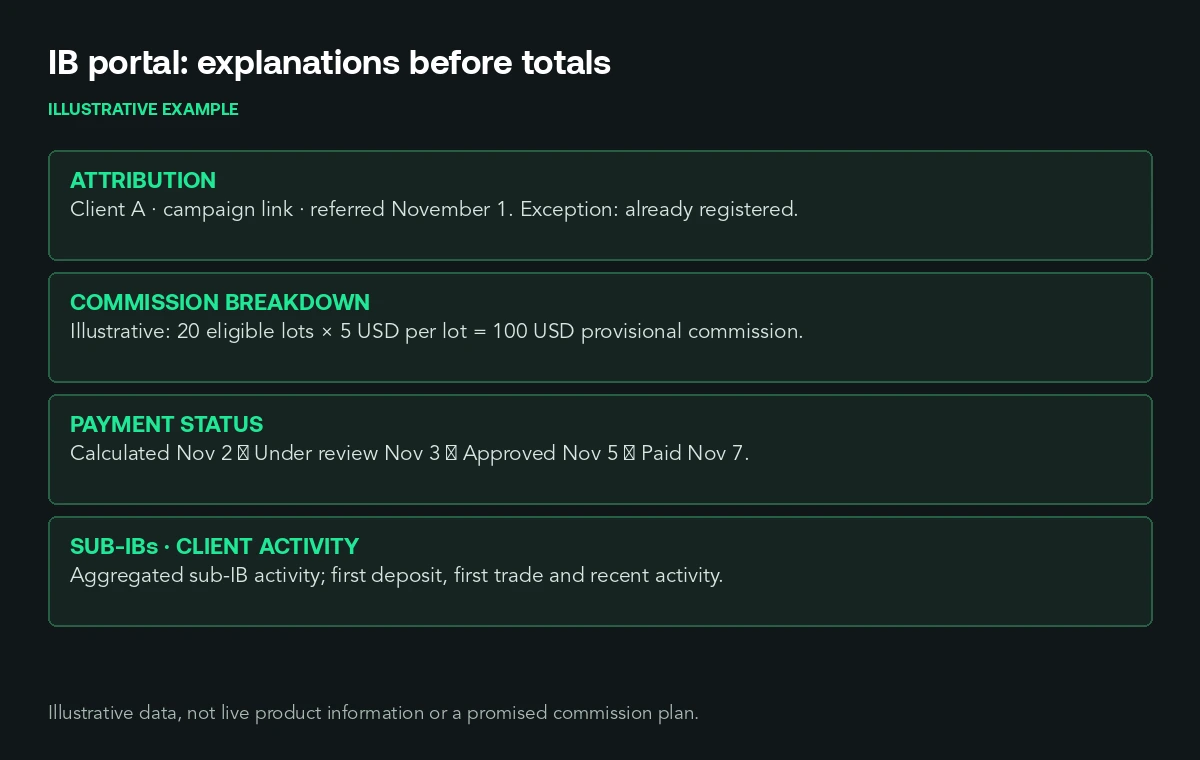
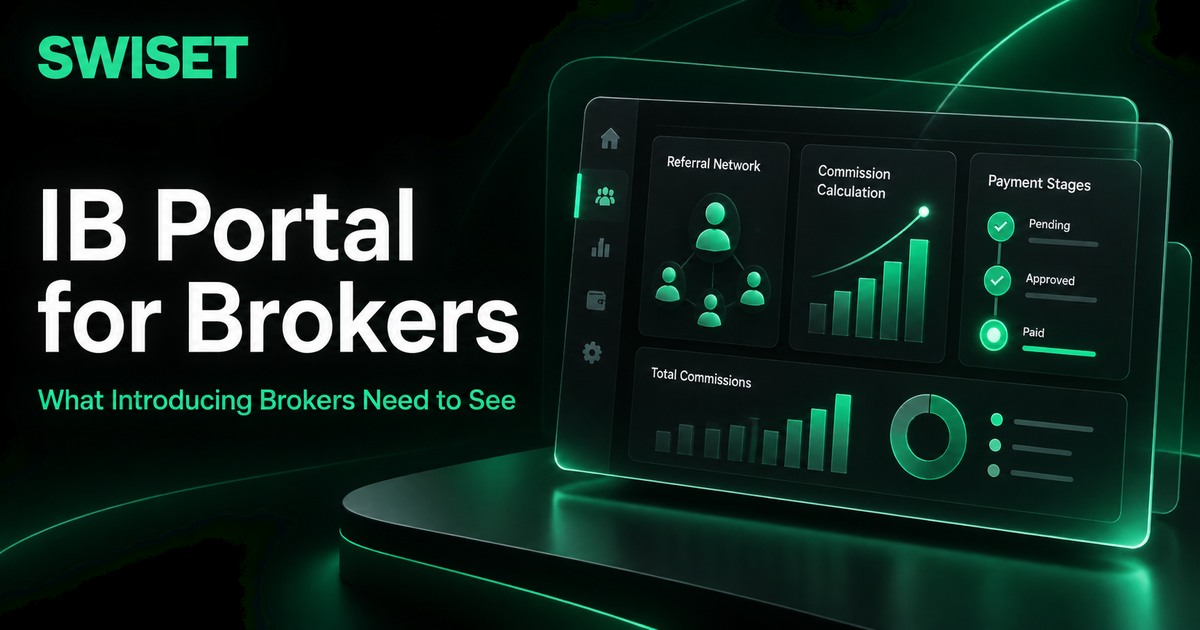
An IB portal is the area where introducing brokers and affiliates follow their partnership with your brokerage: referral links, attributed clients, trading activity, commissions, payments and, in multi-level programmes, their sub-IBs. It is different from your internal IB back office, where your team configures plans and approves payments. The back office decides; the portal explains.
Many portals are built around one number: commission earned. That number matters, but it doesn't answer the questions that cost your team time or the ones that make a partner leave. An IB who can't see why a number changed will assume an error or a cut. A portal that shows the reasoning turns a dispute into a check.
/Start from the questions your partner team answers
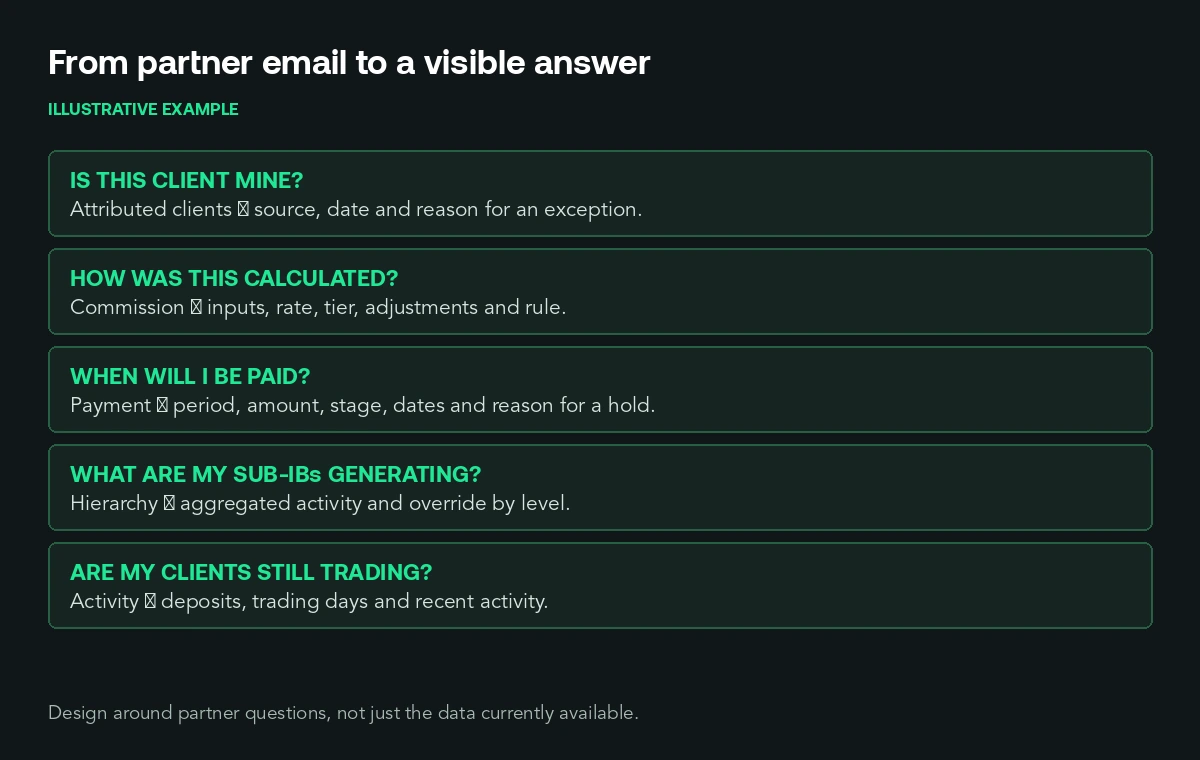
Your partner managers' inboxes already contain the specification. For most IB programmes, five questions account for most of the status messages:
| IB question | What the portal should show |
|---|---|
| Is this client mine? | Attributed clients, the link or code that attributed them, the date, and the reason if a registration was not attributed |
| How was this commission calculated? | Per-client or per-trade breakdown: volume or lots, instrument group, plan or rate, adjustments and the rule behind each |
| When will I be paid, and how much? | Period, amount, status (pending, approved, paid, held) and the date of each status, plus the reason for any hold |
| What are my sub-IBs generating? | Each sub-IB's attributed clients, activity and the commission flowing to each level, consistent with the plan |
| Are my clients still trading? | Activity by client or cohort: deposits, active trading days, recent activity, not only sign-ups |
Tag a month of partner messages by question and check how many your portal answers today. That gap is your roadmap. This is a method, not a benchmark; your categories depend on your plans and markets.
/Make attribution visible, including what wasn't attributed
Attribution disputes are the most emotional ones, because the IB believes they brought the client and is being denied the reward. Show every attributed client with the source (link, code or manual assignment) and the date. Just as important, show attribution exceptions: a registration that matched an existing client, a client who used another partner's link first, a country or account type excluded from the plan. Each exception should show the rule that applied.
You don't have to expose other partners' data or internal checks to do this. "Not attributed: client already registered before referral date" is enough for an IB to understand, and much better than silence.
/Show the calculation, not just the total
A commission total invites suspicion when it changes. A breakdown answers the question before it is asked. For each period, show the inputs (volume, lots or spread revenue, depending on your plan), the rate or tier applied, and any adjustment: reversed trades, closed or flagged accounts, minimum activity conditions, rebate paid to the client.
The calculation the IB sees must be the one you pay. If the portal estimates commissions in one system and finance calculates them in another, sooner or later an IB will show you a screenshot that contradicts your payment, and they will be right about what you showed them. Use one calculation, with a timestamp, and label clearly what is provisional (current period) and what is final (closed period).
/Make the payment path predictable
Late or unexplained payments end more partnerships than low rates. Show, for every period, the amount, the status and the date the status changed: calculated, under review, approved, paid. If a payment is held, say why in terms the IB can act on, such as missing payment details, a pending compliance check or an account under review, without exposing details of an investigation.
Publish the payment calendar in the portal itself. "Paid by the tenth business day of the following month" in the portal is worth more than the same sentence buried in the IB agreement.
/Give multi-level programmes the right visibility
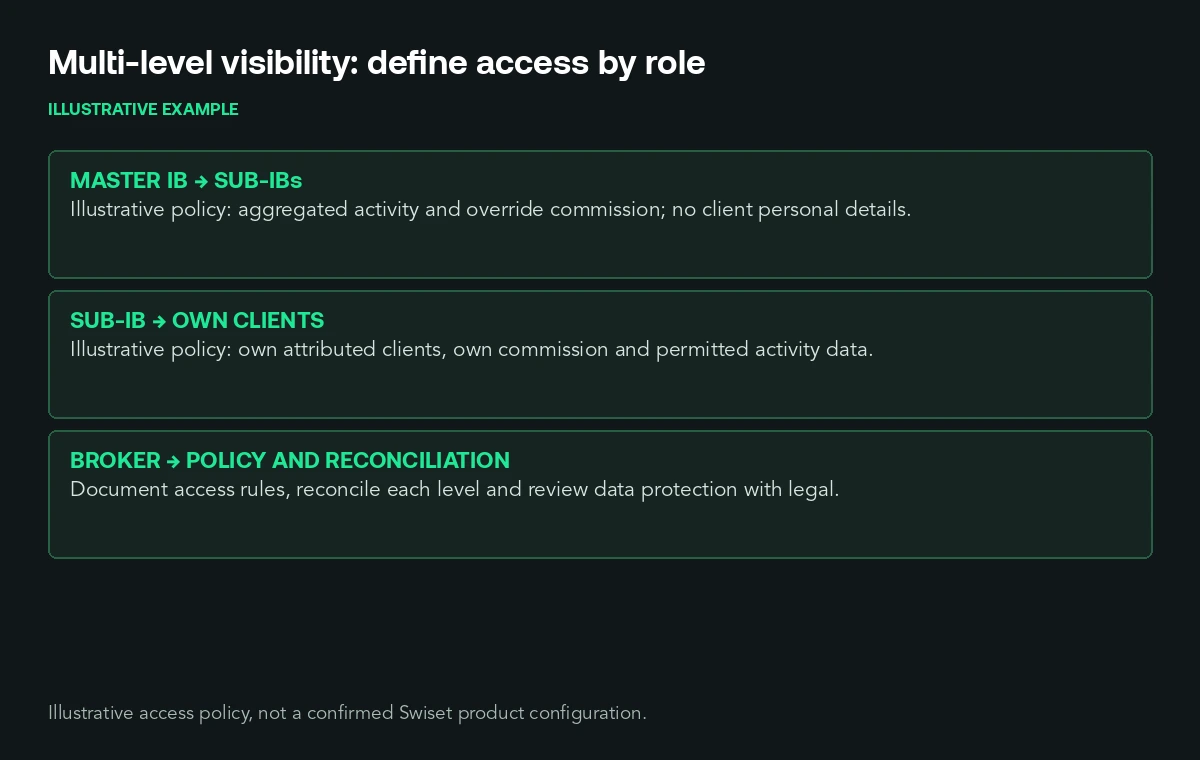
Multi-tier programmes add a second relationship: the IB who recruited a sub-IB wants to see what that sub-IB generates, and the sub-IB wants to see their own numbers. Decide explicitly what each level sees. A common approach is that a master IB sees each sub-IB's aggregated activity and the override commission it generates, but not the personal details of the sub-IB's clients. Whatever you decide, the numbers at each level must reconcile: the master's override should be traceable to the sub-IB's activity under the plan that applies.
Write these visibility rules down before you build them. They are partly a data-protection decision and partly a commercial one, and your legal team should review them for the markets you operate in.
/Show client activity, not just registrations
An IB portal that shows only registrations and commissions trains partners to chase sign-ups. If your business depends on clients who keep trading, show partners what happens after the sign-up: first deposit, first trade, active trading days, recent activity by client or cohort. A partner who sees that half of last month's referrals never traded can change their audience or their onboarding. A partner who only sees the commission total cannot.
This also gives your partner team something better to talk about than rates. A conversation about which channels bring active traders is a conversation about growing together. Our framework for trader performance analytics covers how to segment activity in a way that is useful for retention decisions.
/Keep internal signals internal
Transparency has limits here too. Fraud and abuse checks on referred accounts, links your team has drawn between accounts, internal notes on a partner and the details of how your monitoring works should not appear in the portal. Show the outcome that affects the partner (a client excluded, a commission adjusted, a payment held) and the rule category behind it, and keep the investigation itself internal until there is a decision to communicate.
/Give partners tools, not just reports
The portal is also where partners work. Tracking links per campaign with conversion data, materials approved by your compliance team, and the ability to see which campaigns brought active clients all help partners do more of what works. Some brokers add branded spaces for their IBs, such as competitions for a partner's audience, which give the partner a reason to bring clients back, not just in. Our guide to IB trading competitions explains how brokers use them to activate referred traders.
/Common mistakes
Showing only a commission total. Calculating portal estimates with a different formula from finance. Leaving non-attributed registrations invisible. Changing a plan without showing which version applies to which period. Showing "pending" payments with no stage or date. Giving master IBs the same view as sub-IBs, or no view of them at all. Measuring partners only by registrations. Exposing internal fraud flags. Designing the portal around the data you happen to have rather than the questions partners ask.
/Checklist: your IB portal
- Can an IB see every attributed client with source and date, and the reason when a registration was not attributed?
- Is every commission broken down into inputs, rate and adjustments, with the rule behind each adjustment?
- Does the portal use the same calculation as the payment, and does it mark provisional and final periods?
- Does every payment show amount, status and the date of each status, with an actionable reason for holds?
- Is the payment calendar published in the portal?
- Are visibility rules for master IBs and sub-IBs defined, documented and reviewed by legal?
- Can partners see client activity after sign-up, not only registrations?
- Are internal risk signals kept out of the partner's view?
- Have you checked last month's partner messages against what the portal answers?
/Where Swiset fits
Swiset provides tools for brokers and their introducing brokers, including real-time tracking of commissions, volume and performance metrics, multi-tier IB management with automated commission splits and hierarchical structures, referral links with conversion analytics, and white-label branded spaces under custom domains. Brokers can also give each IB a branded competition environment, and Swiset tracks trader activity and engagement so partners and partner teams can see more than sign-ups. Swiset connects with major trading platforms, including MT4, MT5 and cTrader, and with CRM systems through its API. In practice, a partnerships team can use the checklist above to decide what each partner should see, then make sure the portal and the commission logic draw on the same configuration. Plans, attribution rules and payment policies remain each broker's decisions. Swiset is a technology provider, not a broker.
/Closing
Introducing brokers rarely leave over a single rate. They leave when they stop trusting the numbers, and they stop trusting numbers they can't explain. A good IB portal answers the questions your partner team spends its week on: whose client is this, how was this calculated, when will I be paid, what are my sub-IBs doing, are my clients still trading. Start from last month's partner messages and build the screen that would have answered them. If you want to look at how your IB tracking, commission logic and partner experience fit together, review your IB program with Swiset.
Continue with IB program management, IB rebate income growth or trader dashboard visibility.
Review your IB program with Swiset
Look at how IB tracking, commission logic and your partner experience fit together.
Book a DemoFAQs
What is an IB portal?
The area where introducing brokers follow their partnership with a broker: referral links, attributed clients, client activity, commissions, payments and, in multi-level programmes, sub-IBs.
What should an IB portal show?
At minimum: attributed clients with source and exceptions, a commission breakdown, payment status with dates, sub-IB activity where relevant, and referred clients' trading activity after sign-up.
How can a broker reduce IB commission disputes?
Show the calculation behind every commission, use the same calculation the broker pays, mark provisional versus final periods and explain holds and exclusions with the rule that applied.
Should master IBs see their sub-IBs' clients?
That depends on your plan, your agreements and data-protection rules in your markets. Many brokers show aggregated sub-IB activity and override commissions rather than individual client details. Decide and document it before building.
Is an IB portal the same as an IB back office?
No. The back office is where your team configures plans and approves payments; the portal is where partners see and understand the results.